TUI Layouts
KodaCode has two TUI layouts: shell and classic.
Shell is the default view. Classic remains available when you want a persistent side inspector.
Shell view
Section titled “Shell view”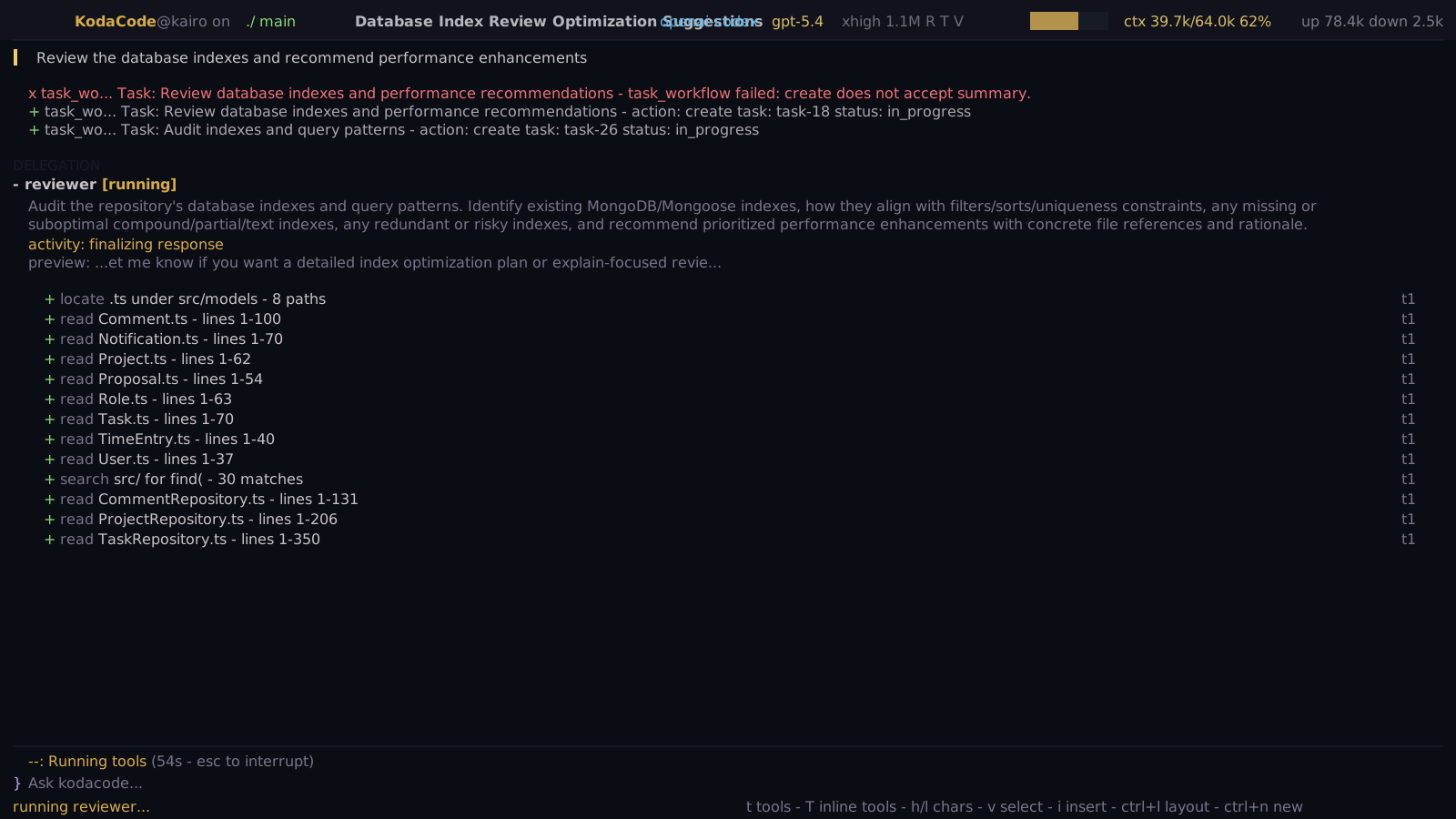
Shell view is a single-plane terminal workflow. It keeps the transcript, composer, status, workflow activity, and compact tool rows in one continuous surface.
Use shell view when you want:
- the most terminal-native flow
- less persistent chrome while a turn is running
- inline tool and workflow activity in the transcript
- a tools popup instead of a permanently open tools sidebar
Shell-specific controls:
| Key | Action |
|---|---|
t |
Open the shell tools popup from normal transcript mode |
Ctrl+T |
Open the shell tools popup from insert or normal mode |
T |
Toggle inline shell tool rows |
j / k |
Move between visible non-mutation tool calls in normal transcript mode |
Enter |
Expand or open the selected tool call |
Classic view
Section titled “Classic view”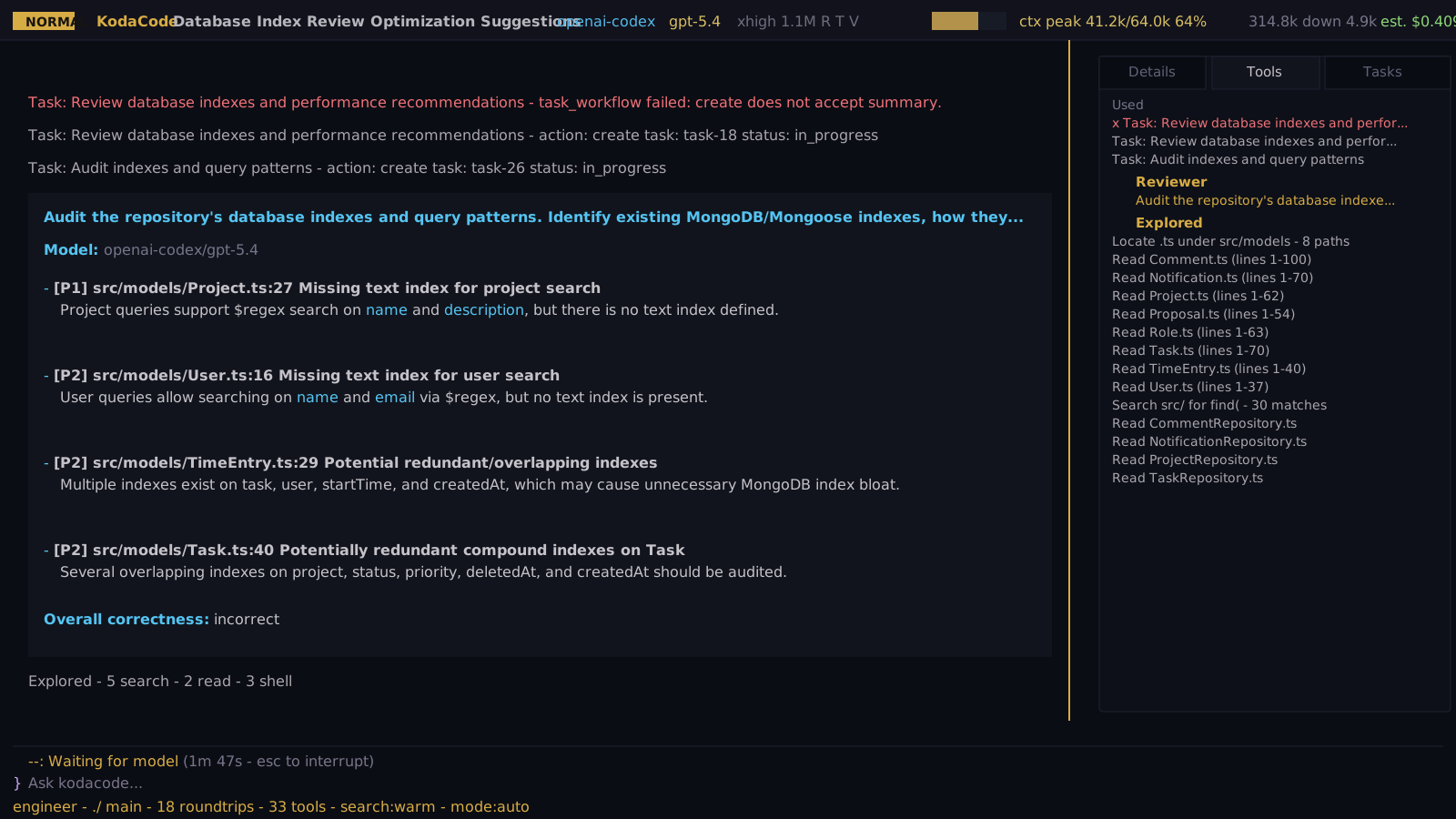
Classic view keeps a persistent inspector on the right side. The inspector has
Details, Tools, and Tasks tabs and is designed for dense review,
comparison, and post-turn inspection.
Use classic view when you want:
- a permanent tool/task/detail panel
- the full inspector visible while reading the transcript
- dashboard-style review of long tool traces
- tabbed navigation for details, tools, and task state
Classic-specific behavior:
| Key | Action |
|---|---|
h / l |
Move between inspector tabs while the inspector is focused |
j / k |
Move between tools or tasks on their inspector tabs |
Enter |
Open the selected tool or task detail dialog |
Ctrl+\ |
Focus or open the side panel; it does not hide the panel in classic view |
Switching layouts
Section titled “Switching layouts”Use Ctrl+L to switch between shell and classic.
KodaCode persists that choice to ~/.config/kodacode/config.yaml, so the next
restart opens in the layout you selected.
tui: layout: shellSet layout: classic if you want the persistent side inspector by default.
Leaving layout unset uses shell view.